
Deep Research in AI: stop guessing, pick the right tool
Doing in-depth research with AI has come of age. Only. many teams still use it as if it's just "smarter googling."
It isn't.
It's a researcher making a plan, iteratively consulting sources, combining internal and external information and turning it into an auditable report.
But each tool does that slightly differently. So, which one do you choose when?
Deep research is not a search engine. It is a junior consultant with turbo. You remain ultimately responsible.
ChatGPT - structure, control and deliver
Forces
- Agentic multi-step research that can work autonomously
- Works with web, specific websites, uploads and linked apps
- Ability to limit research to trusted or approved sources
- You can review the research plan in advance and make adjustments during the run without having to restart
- Fullscreen document viewer with clear source section and export options to PDF, Word and Markdown
- New since Feb 2026: real-time progress, plan editing before and during execution, focus on trusted websites and broader app/MCP links
Pitfalls
- Availability of features may vary by region (e.g. EEE deployment of connectors)
Use this if:
You need an auditable, shareable research deliverable. For example: due diligence, market analysis, strategic rationale where you want to be able to explicitly show which sources were used.
Gemini - research within the Google ecosystem
Forces
- Agentic Deep Research that can handle hundreds of websites
- 1M token context window + RAG for processing large amounts of information
- Standard research plan before execution
- Direct connection to Gmail, Drive, Chat and Google Docs exports
- "Double check response" flow via Search for additional verification
- Within the API, the Deep Research Agent (preview) does explicit safety and cost estimates including clear guidance around prompt injection and data exfiltration
Use this if:
You want to combine web research with internal documents, emails or spreadsheets within Google Workspace. Think: market data + internal figures + customer feedback in one integrated report.
Claude - parallel and systematic elaboration
Forces
- Multi-agent architecture (lead agent + subagents + citation agent)
- Parallel exploration of multiple perspectives
- Suitable for broad landscape scans
- Integrations via connectors (at higher plans)
- Can elaborate complex topics over long periods of time
Pitfalls
- Claude internally generates a research plan through its multi-agent architecture and immediately starts execution. Unlike some other tools, there is no explicit plan approval step beforehand.
Use this if:
You want a topic to be explored broadly and systematically. For example: market landscape, knowledge update, policy analysis or complex strategic issues.
So which one do you choose when?
Not "which one is better," but:
Do you want maximum control, explicit plan review and a tight deliverable? → ChatGPT
Do you want research deeply integrated with Google Workspace? → Gemini
Do you want broad, parallel exploration via multi-agent architecture? → Claude
What Deep Research does not solve
Regardless of which tool you choose, deep research remains an accelerator. Not a truth machine. There are three structural pitfalls you should always be alert to:
- Citations are useful, but do not replace a source check: A source reference does not automatically mean that every claim has been reproduced correctly or completely.
- Contradictions are sometimes smoothed over: Agentic systems seek consistency. Conflicting information may therefore be synthesized rather than explicitly named.
- Governance remains your responsibility: Scope, source delineation and data usage are determined by you. Not the tool.
Deep research speeds up your work.
It does not replace your judgment.
How to do it yourself
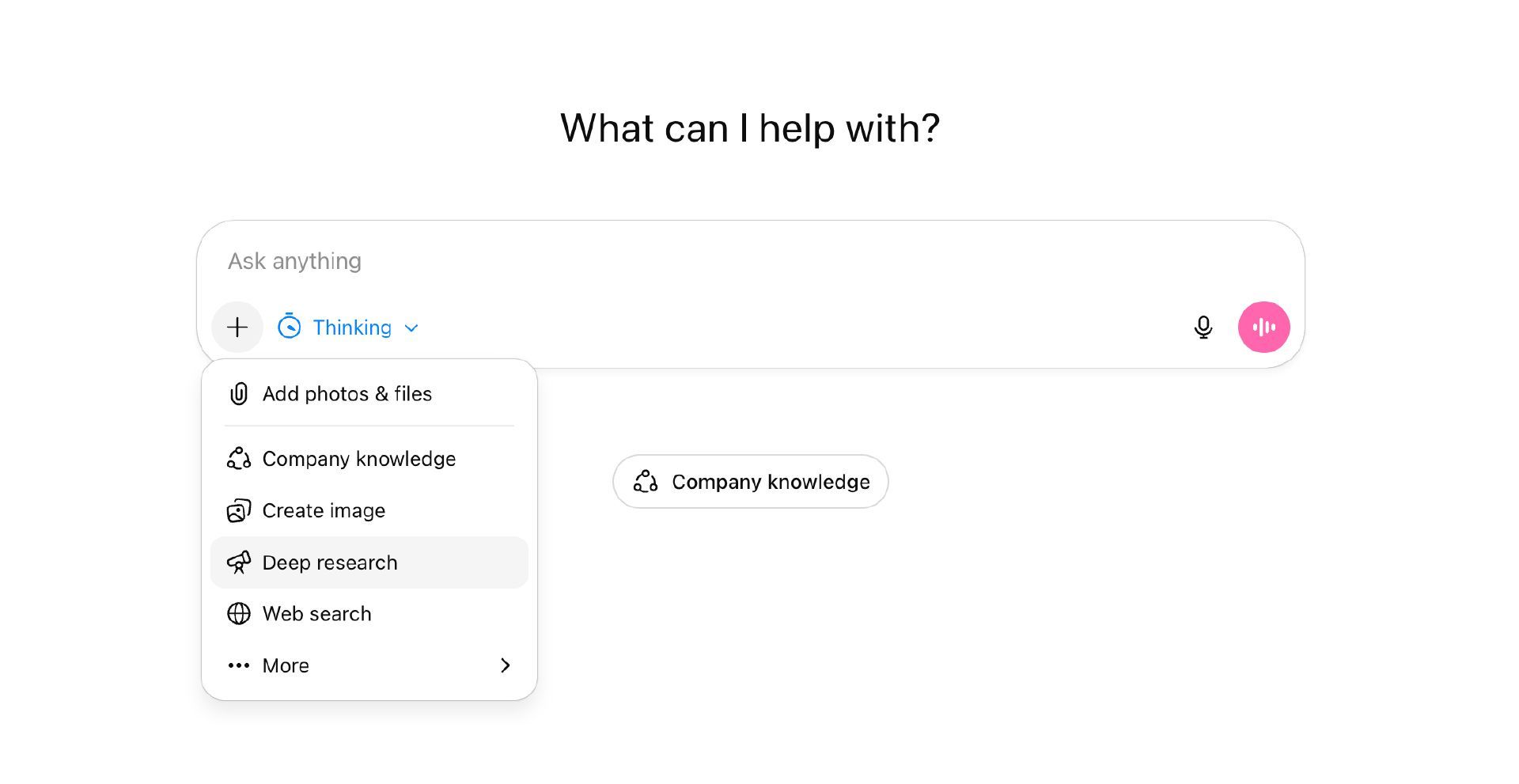
ChatGPT
- Choose Deep Research as a tool by clicking on the plus sign within a chat.
- Decide which sources to use (web, specific sites, uploads, apps)
- Watch the research plan being created (after 1 minute the research starts automatically)
- Start the research and make any necessary adjustments during implementation.
- Use the document viewer to view or export the report.
Pro tip: limit the research to sources your organization trusts. Control > volume.
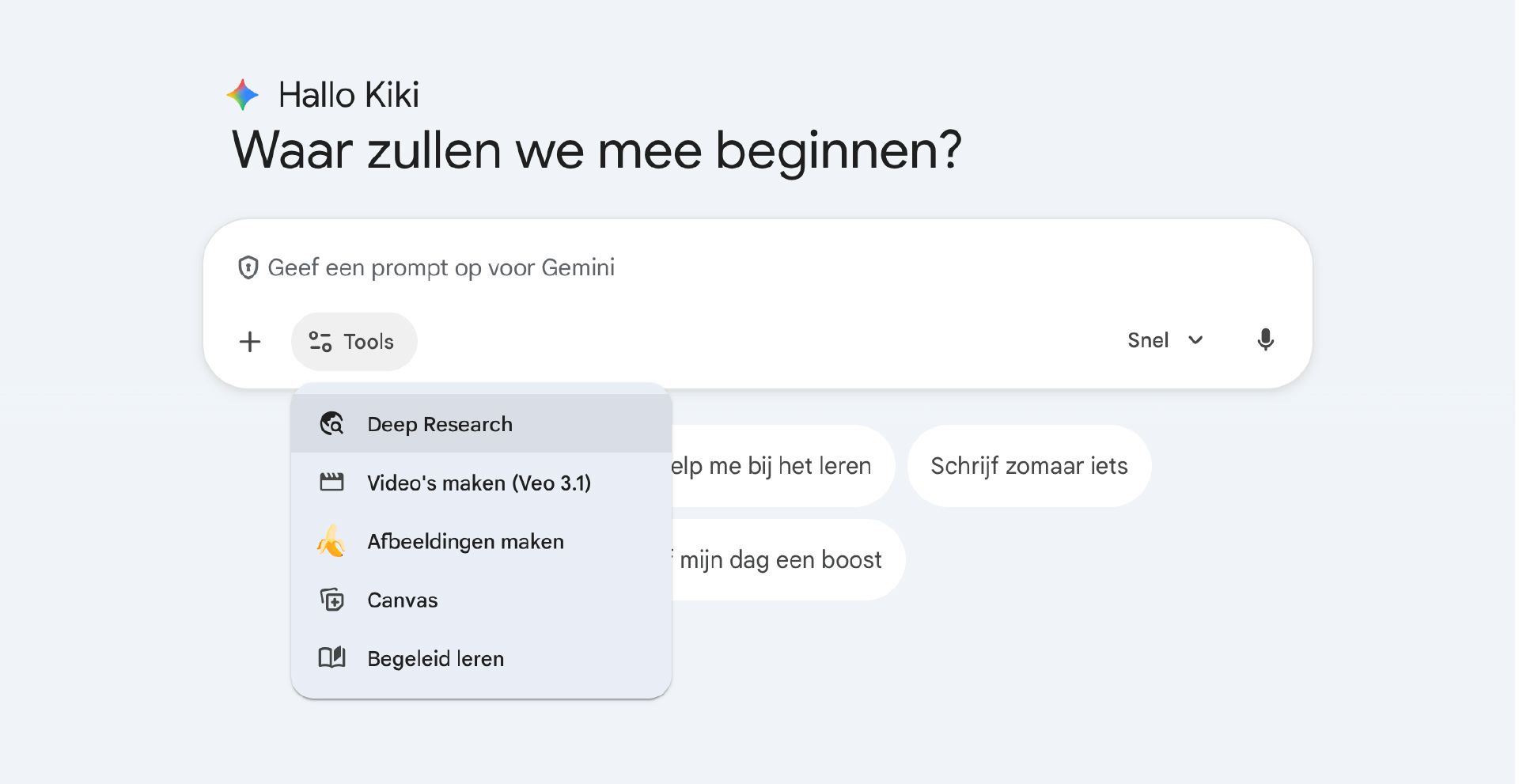
Gemini
- Open Gemini and choose "Deep Research" from the tools.
- Decide whether to use Search only or also add Gmail, Drive or uploads.
- Review the suggested research plan and start the research.
Pro tip: put in your prompt explicitly which sources you do not want to use, otherwise you will get everything Google finds.
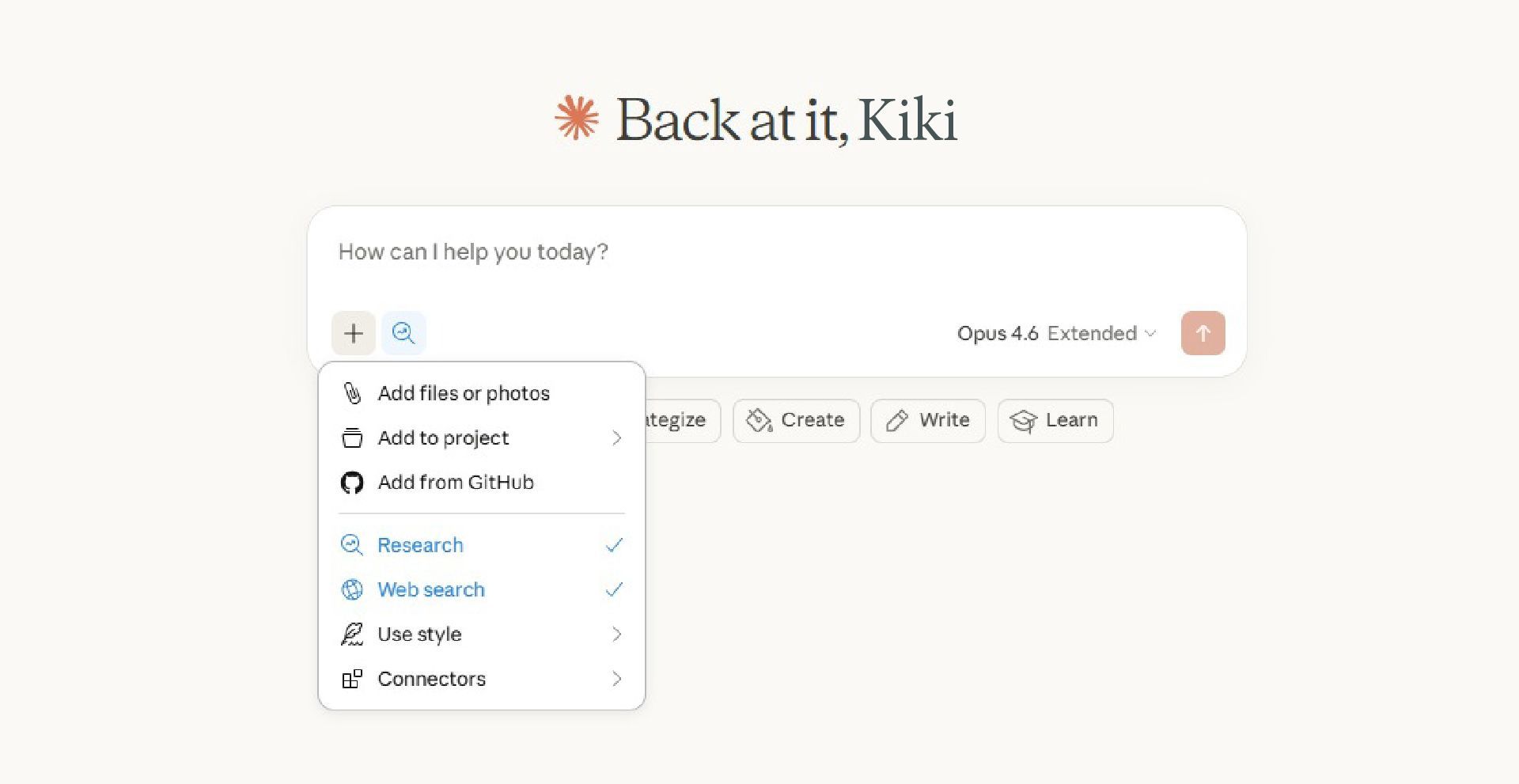
Claude
- Turn on Research via the plus sign at the bottom left of the chat.
- Formulate your question as an assignment with multiple perspectives (strategy, risks, pro/contra, assumptions).
- Ask for parallel perspectives: "create 3 perspectives: commercial, technical, compliance".
- Force verification: what is certain, what is assumption, where do sources contradict each other?
Pro tip: have Claude cite a source for each core claim, not just a general reference list at the end.
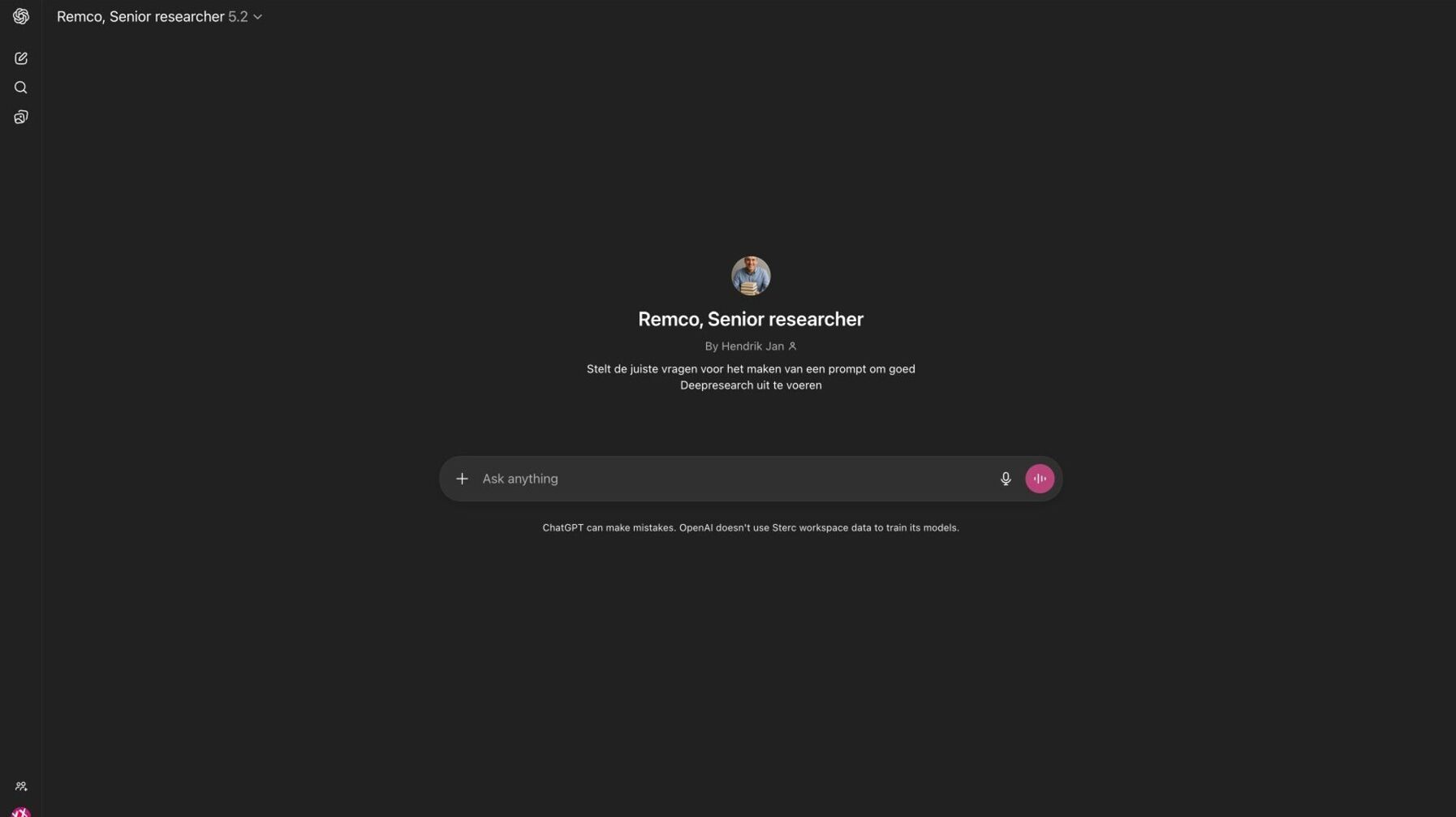
Remco the Researcher gives you the right instructions
Let's face it: without proper instructions, you get mediocre research. At Sterc, we use our custom GPT Remco the Researcher to help us generate the right prompt for Deep Research. Deploying it yourself? Check out Remco the Researcher's instructions here and create your own.
Pro tip #2: Use different tools to do your deep research in and overlay the results. What are the similarities? And are there any gaps?